

ChatGPT has changed a lot since we first created this prompt training guide.
In the early days of ChatGPT, there was a lot of attention on prompt engineering: finding the perfect wording, using elaborate prompt formulas, and collecting long lists of prompts to copy and paste.
Good prompting still matters. But you don’t need to become a professional prompt engineer to get useful results from ChatGPT.
Today, I think the better approach is to learn how to work with AI as a collaborator.
Give it a clear goal. Give it useful context. Show it what you’re working with. Ask for the kind of output you want. Then react to what it gives you and continue the conversation.
That’s the skill.
What Is a ChatGPT Prompt?
A prompt is simply the instruction, question, information, or material you give ChatGPT.
It could be as simple as:
What are five ways we could improve this workshop?
Or it could include much more context:
I’m designing a two-hour innovation workshop for 25 engineering leaders. Most are new to design thinking. I want the session to be highly interactive, with activities every 10 to 15 minutes. Generate five possible workshop activities that help participants practice reframing problems. Put them in a table with activity name, instructions, time required, and purpose.
You can also prompt ChatGPT by giving it more than words. You might:
- Upload a document and ask for feedback.
- Upload a spreadsheet and ask it to identify patterns.
- Share an image and ask it to analyze what it sees.
- Give it notes and ask it to organize them.
- Ask it to search the web and compare current information.
- Provide several files and ask it to synthesize them.
The better question is no longer just “What should I type?”
It is:
“What does ChatGPT need to know or see to help me with this?”
A Simple Framework for Better ChatGPT Prompts
You don’t need a complicated prompt formula. For most work, think about these six elements.
1. Goal
Start with what you actually want ChatGPT to accomplish.
Instead of:
Tell me about innovation.
Try:
Help me identify five practical ways our leadership team could encourage more experimentation within the organization.
A clear goal is often the most important part of the prompt.
2. Context
Give ChatGPT the background that a smart colleague would need to do the task well.
For example:
I’m preparing a 60-minute session for 75 middle managers in a manufacturing company. They tend to be practical and skeptical of abstract innovation concepts.
That context can dramatically improve the usefulness of the response.
Think about including things like:
- Who you are
- What you’re working on
- Who the audience is
- Why you’re doing it
- What has already happened
- What you’ve tried
- What matters most
You don’t need all of these every time. Give ChatGPT the context that matters for the task.
3. Input
Whenever possible, give ChatGPT the actual material you want it to work with.
Don’t just say:
Help me improve my presentation.
Upload the presentation.
Don’t just say:
Help me analyze our survey.
Upload the results.
Don’t just describe your meeting notes if you can paste or upload them.
One of the biggest improvements you can make in working with AI is moving from asking ChatGPT to guess about your situation to giving it the actual information.
4. Constraints
Constraints can make an AI response much more useful, and often much more creative.
You might say:
Generate ideas that can be tested in less than two weeks and cost less than $1,000.
Or:
Design activities that take no longer than 10 minutes and require no PowerPoint slides.
Or:
Keep the response under 300 words. Avoid jargon.
Useful constraints include:
- Time
- Budget
- Length
- Audience
- Resources
- Style
- Things to include
- Things to avoid
Constraints help turn generic ideas into ideas you can actually use.
5. Output
Tell ChatGPT how you would like to receive the answer.
For example:
Give me a table with four columns: idea, how it works, advantages, and risks.
Or:
Give me your three strongest recommendations first, followed by your reasoning.
Or:
Draft this as a short email I could send to a client.
You can ask for:
- Lists
- Tables
- Plans
- Checklists
- Timelines
- Scripts
- Stories
- Questions
- Comparisons
- Drafts
- Frameworks
- Visual concepts
Choosing the right output format makes the response easier to use.
6. Iterate
This may be the most important ChatGPT skill of all.
Don’t expect the first prompt to produce the final answer.
Read what ChatGPT gives you and respond to it.
Try things like:
I like ideas 2 and 4. Develop those further.
These feel too conventional. Give me more surprising approaches.
Make this shorter and less formal.
What are we overlooking?
Challenge my assumptions.
Give me three completely different alternatives.
I don’t like the direction this is going. Start again using this example instead.
ChatGPT is conversational. Take advantage of that.
You Don’t Need the Perfect Prompt
One of the biggest misconceptions about AI is that you need to construct one enormous, perfectly engineered prompt.
You don’t.
Start with what you know.
Ask ChatGPT to help.
Then improve the result together.
For example:
I’m trying to create a workshop about innovation culture. Help me think through what the participants should actually experience during the workshop. Ask me questions if you need more context.
You can develop the idea through conversation instead of trying to anticipate everything in advance.
Better ChatGPT Prompt Examples
Here are some simple prompts that demonstrate these principles.
Brainstorming
We’re trying to improve the new employee onboarding experience. Generate 15 ideas, but avoid the usual suggestions like welcome packets and orientation presentations. Include several ideas we could prototype in one week.
Problem Solving
Here’s the problem we’re dealing with: [describe problem]. Before recommending solutions, identify five different ways we could frame the problem. What assumptions might we be making?
Writing
Here is a draft of an article I’ve written. Keep my ideas and voice, but make it clearer and more concise. Point out anything repetitive before giving me the revised version.
Meeting Preparation
I’m meeting with [type of person] about [topic]. My goal is [goal]. Help me prepare five good questions, three issues they may raise, and a short opening for the conversation.
Learning
Teach me [topic]. Start with a simple explanation and analogy. Then give me an example. Finally, ask me a question that tests whether I understand it.
Decision Making
I’m deciding between these three options: [options]. Here are the criteria that matter most: [criteria]. Compare them in a table, identify the major tradeoffs, and tell me what additional information would help make the decision.
Innovation
Here is our current process: [process]. Identify the assumptions built into it. Then generate ideas based on reversing, eliminating, combining, or radically changing those assumptions.
Feedback
Review this plan as a constructive skeptic. What seems strong? What could fail? What assumptions need testing? What would you change before moving forward?
Use ChatGPT From Different Perspectives
One prompting technique I still find valuable is asking ChatGPT to look at something through a particular perspective.
For example:
Review this workshop from the perspective of a participant who doesn’t want to be there.
Analyze this product idea from the perspective of a first-time customer.
Respond as a skeptical CFO evaluating whether this project deserves funding.
Review this explanation as someone who knows nothing about the subject.
Rather than simply saying “act as an expert,” think about which perspective would help you see something you aren’t seeing yourself.
Use Examples
If you want ChatGPT to create something in a particular style, one of the best things you can do is show it an example.
You might say:
Here are three examples of articles I’ve written. Analyze their common characteristics and use that style to help me draft the next one.
Or:
Here is an activity that worked well in one of my workshops. Create five new activities that follow the same principles without simply copying it.
Examples often communicate what you want more effectively than paragraphs of instructions.
Ask ChatGPT to Challenge You
Don’t only use ChatGPT to produce things.
Use it to think with you.
Try prompts like:
What’s weak about this idea?
What assumptions am I making?
What would someone who disagrees with me say?
What questions should I be asking that I haven’t asked?
What are three alternative explanations?
What evidence would change this recommendation?
Give me a pre-mortem: assume this project failed six months from now. What probably caused the failure?
AI becomes much more valuable when it helps expand your thinking rather than simply confirm it.
Use Constraints to Increase Creativity
Constraints aren’t only useful for narrowing results. They can stimulate creativity.
Try:
Generate ten ideas that require no new technology.
Generate solutions that a team could test tomorrow.
Explain this concept without using business jargon.
Come up with ideas inspired by how a restaurant, hospital, theme park, or sports team might solve this problem.
What would we do if our budget were cut by 90%? What would we do if our budget were unlimited?
Metaphors, analogies, extreme constraints, and unusual perspectives remain some of my favorite ways to use ChatGPT for innovation.
Prompt ChatGPT With Your Files
One major difference between today’s ChatGPT and the earliest versions is that you don’t have to squeeze everything into the text of your prompt.
You can give ChatGPT material to work with.
For example:
Upload a PDF:
Summarize the three most important ideas and identify anything that relates to organizational innovation.
Upload survey results:
Identify the major themes in these responses and include representative examples for each theme.
Upload a presentation:
Review this workshop deck. Where am I talking too much instead of creating an experience for participants?
Upload several documents:
Compare these three approaches. Where do they agree, where do they differ, and what can we learn by combining them?
This is often more powerful than trying to describe the source material yourself.
Ask ChatGPT to Research Current Information
For questions that depend on current information, ask ChatGPT to search rather than relying only on what it already knows.
For example:
Search the web for recent research on AI adoption in organizations. Focus on studies published during the last two years and cite the original sources.
Or:
Research these three companies and compare how they currently describe their innovation consulting services. Include links to the sources you used.
And remember: AI can still make mistakes. For important facts, numbers, quotes, or decisions, check the original sources yourself.
Create Ongoing Context
For work that continues over time, you don’t necessarily want to start from zero in every conversation.
Features such as Projects, instructions, files, and memory can give ChatGPT ongoing context about what you’re doing.
For example, you might create a project for:
- Developing a new workshop
- Writing a book
- Planning a conference
- Conducting research
- Creating a marketing campaign
- Developing a new product
You can give ChatGPT relevant source material and instructions once and then continue working within that context.
This moves us from individual prompts toward an ongoing AI workspace and collaboration process.
A Simple ChatGPT Prompt Template
If you do want a template, here’s one that is flexible enough for many situations:
I’m working on: [context]
I want to: [goal]
Here’s what you should know: [important information/input]
Keep these constraints in mind: [constraints]
Please give me: [desired output]
You don’t have to complete every section every time.
Even this can be shortened to:
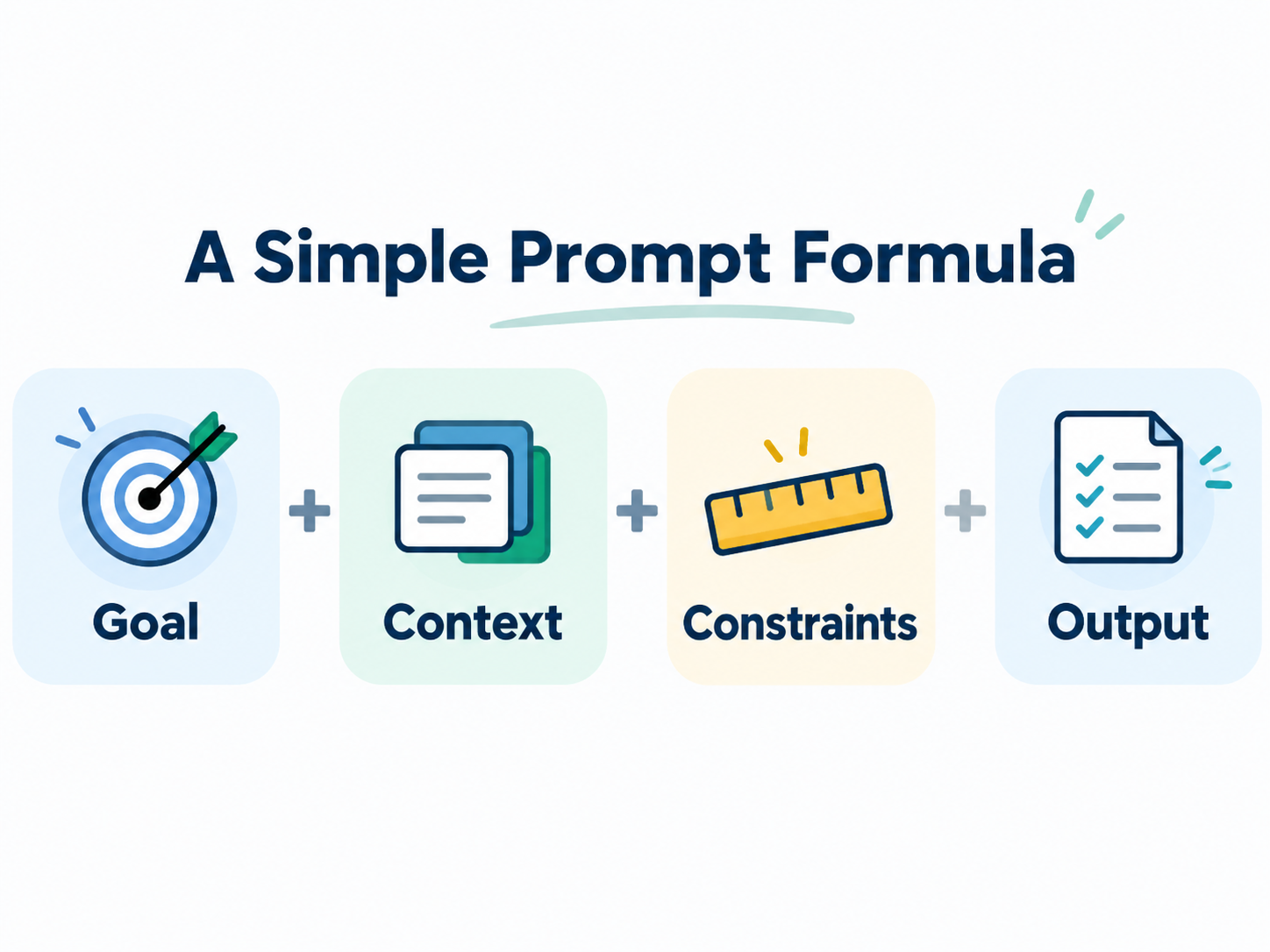
For example:
Help me design five activities for a 90-minute workshop on innovation culture for 50 managers. Most participants don’t know each other, and I want them interacting within the first five minutes. Avoid lectures and activities requiring special materials. Give me a table with the activity, instructions, time, and purpose.
That’s a very good prompt.
The Most Important ChatGPT Prompting Tips
If you’re just getting started, remember these:
- Tell ChatGPT what you’re trying to accomplish.
- Give it relevant context.
- Give it the actual source material whenever possible.
- Add constraints that make the answer useful.
- Ask for the output format you need.
- Use examples to show rather than only tell.
- Continue the conversation instead of expecting perfection from one prompt.
- Ask ChatGPT to critique, question, and challenge your thinking.
- Use web research when the answer depends on current information.
- Verify important facts and sources.
From Prompt Engineering to AI Collaboration
Learning to use ChatGPT isn’t really about memorizing prompts.
The bigger skill is learning how to frame what you’re trying to do, provide the right context, evaluate what AI gives you, and improve the result through conversation.
That’s also why I think of ChatGPT less as an answer machine and more as a thinking and making partner.
Experiment with it.
Give it real work.
Show it examples.
Push back on its answers.
Ask it to take another perspective.
And notice which ways of interacting with AI actually help you think, create, and work differently.
That’s where the learning happens.
Keep Learning: More ChatGPT and AI Prompt Resources
- ChatGPT-5 prompting tips and practical guide with more prompt examples
- OpenAI’s prompt strategies and tactics, which also work with Claude, Google Gemini, and Microsoft Copilot
- 50 popular digital tools that use AI
- Miro AI for generating ideas on a whiteboard, including mind mapping with AI
- ChatGPT online course and demo collection for self-paced learning
Bring ChatGPT Training to Your Team
This guide is used in corporate learning programs, and it works well as a starting point. Teams build real skill when they practice on their own work together. Our AI innovation training and ChatGPT workshop give groups hands-on practice using AI to frame problems, generate ideas, and improve how they work. Contact us to talk about a session designed for your team.