
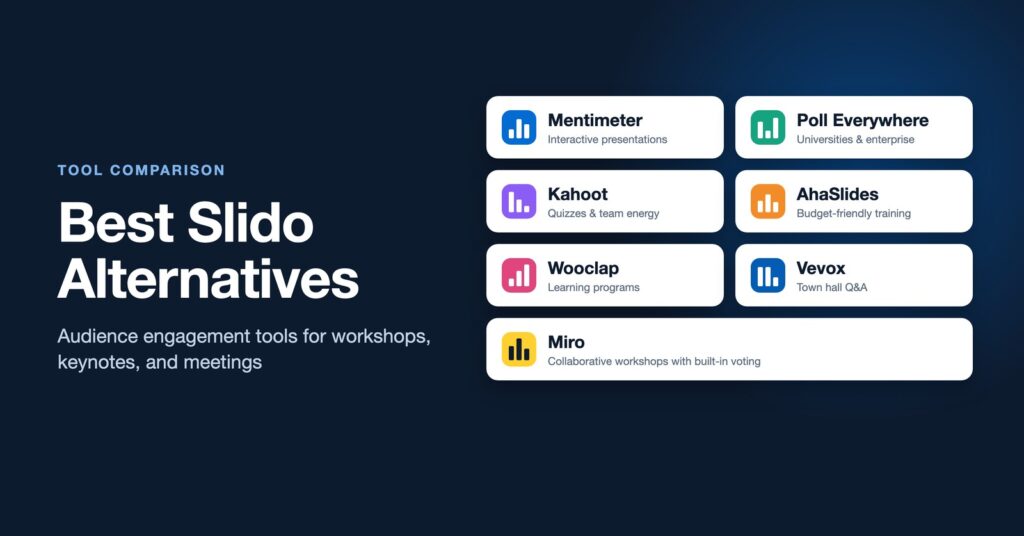
Slido is one of the most widely used tools for live polls and audience Q&A, and for good reason. It is simple, it works inside PowerPoint, Google Slides, Zoom, Teams, and Webex, and audiences pick it up in seconds. Slido is not always the right fit, though. Some teams want a free plan with more room, some want quizzes with a game-show feel, and some need an anonymous Q&A tool that leaders trust for a town hall.
This guide compares the best Slido alternatives for facilitators, trainers, and presenters, with notes on what each one does best and when to pick it. If you are new to Slido itself, start with our guide to what Slido is and how to use it in workshops.
What to look for in a Slido alternative
Before comparing tools, get clear on the kind of interaction your sessions need. Most audience engagement tools do the basics well, so the differences show up in a few places:
- The moment you are designing for. A keynote needs fast, large-scale polls and Q&A. A training session may want quizzes and knowledge checks. A strategy workshop needs ranking and prioritization.
- Where your slides live. If you present from PowerPoint or Google Slides, look for a solid add-in so you are not switching between apps on stage.
- Your meeting platform. Check integrations with Zoom, Microsoft Teams, or Webex if your sessions are virtual or hybrid.
- Audience size and free plan limits. Free plans usually cap participants, polls, or sessions. Check the current limits against your real group sizes.
- Anonymity and moderation. For leadership Q&A, the ability to moderate questions and keep responses anonymous matters more than anything else.
Quick comparison
| Tool | Best for | Stands out for |
|---|---|---|
| Mentimeter | Interactive presentations and workshops | Word clouds, ranking, and building the whole deck in one place |
| Poll Everywhere | Universities and large organizations | Many activity types, including text message responses |
| Kahoot | Training and team energy | Game-show quizzes with timers and leaderboards |
| AhaSlides | Budget-conscious trainers | Quizzes, polls, and a spinner wheel in one tool |
| Wooclap | Education and learning programs | Many question types and learning platform integrations |
| Vevox | Town halls and all-hands meetings | Anonymous, moderated Q&A at scale |
| Miro | Collaborative workshops | Whiteboard work with built-in voting and timers |
1. Mentimeter
Mentimeter is the closest competitor to Slido and the one most people consider first. Instead of adding polls to a deck you built elsewhere, you build the whole presentation in Mentimeter and mix content slides with interactive ones. Participants join at menti.com with a code, with no account or app required.
Its word clouds are the best known feature, but facilitators get the most value from ranking slides, scales, and 2×2 grids, which help a group prioritize options quickly. Mentimeter also offers a PowerPoint add-in, integrations with Teams and Zoom, and AI features that draft slides from a prompt.
Choose Mentimeter if you want polished visuals and a tool built around the whole presentation. Our full guide covers what Mentimeter is and how to use it in workshops.
2. Poll Everywhere
Poll Everywhere has been around for many years and is a standard tool at many universities and large companies, often under an institution-wide license. It offers multiple choice polls, open-ended responses, word clouds, Q&A, rankings, surveys, competitions, and clickable images, where participants tap a spot on a picture or diagram.
One feature sets it apart: participants can respond to many activities by text message, which helps when some people do not have reliable internet. It integrates with PowerPoint, Google Slides, and Keynote.
Choose Poll Everywhere if your organization already licenses it, or you want a wide range of activity types with strong presentation integrations.
3. Kahoot
Kahoot is best known for game-based quizzes in classrooms, but it also has a large workplace product for training, onboarding, and company events. Questions appear on the big screen with a countdown timer, participants answer on their phones, and a leaderboard builds energy between rounds. Kahoot also supports polls, word clouds, and self-paced quizzes that people can complete on their own time.
The competitive format is great for energy and for checking knowledge after a training module. It is less suited to sessions about reflection, strategy, or sensitive topics, where points and a leaderboard can work against the conversation you want.
Choose Kahoot if you run training, onboarding, or team events and want fun, fast knowledge checks.
4. AhaSlides
AhaSlides combines polls, quizzes, word clouds, Q&A, and a spinner wheel in one presentation tool. It covers a lot of what Mentimeter and Kahoot do, and many trainers choose it because its paid plans are generally priced lower than the bigger names. It also has a PowerPoint add-in and Google Slides integration.
Choose AhaSlides if you want an all-in-one engagement tool for training sessions and are watching your budget.
5. Wooclap
Wooclap started in higher education and is popular with instructors and learning teams. It offers a long list of question types, including image hotspots, matching, sorting, and fill-in-the-blank, which make it strong for learning and knowledge checks. It integrates with learning management systems like Moodle and Canvas, as well as with PowerPoint and Teams.
Choose Wooclap if you design training or academic programs and want question types built for learning.
6. Vevox
Vevox focuses on employee engagement and is a common choice for town halls and all-hands meetings. Its anonymous Q&A, with moderation and upvoting, makes it easier for employees to ask the questions leaders most need to hear. It also offers live polls, word clouds, ratings, and surveys, with integrations for PowerPoint, Teams, and Webex.
Choose Vevox if your main use is leadership Q&A and you need people to trust that their questions are anonymous.
7. Miro (for deeper collaboration)
Miro is not a polling tool in the same way, but it belongs on this list because many facilitators reach for Slido when what their session really needs is collaboration. In Miro, groups add sticky notes, cluster ideas, and build on each other’s thinking on a shared board, then use built-in voting to choose what to pursue. Timers and templates for brainstorming, journey mapping, and retrospectives make it a full workshop space.
Choose Miro if participants need to create together, not just respond. See our guide to what Miro is and how to use it for collaboration.
How to choose the right tool for your session
A simple way to decide is to match the tool to the kind of participation you are designing:
- Quick input from a large room: Slido, Mentimeter, or Poll Everywhere.
- Energy and knowledge checks: Kahoot or AhaSlides.
- Questions people are nervous to ask: Vevox or Slido with anonymous, moderated Q&A.
- Learning programs with many question types: Wooclap.
- Groups generating and shaping ideas together: Miro or another virtual whiteboard.
Many experienced facilitators pair two tools: a polling tool for whole-room moments and a whiteboard for small group work. Before committing, run a short test session with a few colleagues to check the join flow, the presenter view, and how results look on a projector.
The tool matters less than the design
Every tool on this list makes it easy to ask an audience a question. What makes a session memorable is asking the right question at the right moment and then doing something with the answers. That is the heart of an interactive keynote or a well-designed workshop, where audience input shapes what happens next.
If you want to build those skills across your team, our facilitation workshop helps leaders and trainers design sessions where people participate fully. For an upcoming conference, offsite, or team session, get in touch to talk about what your group needs.