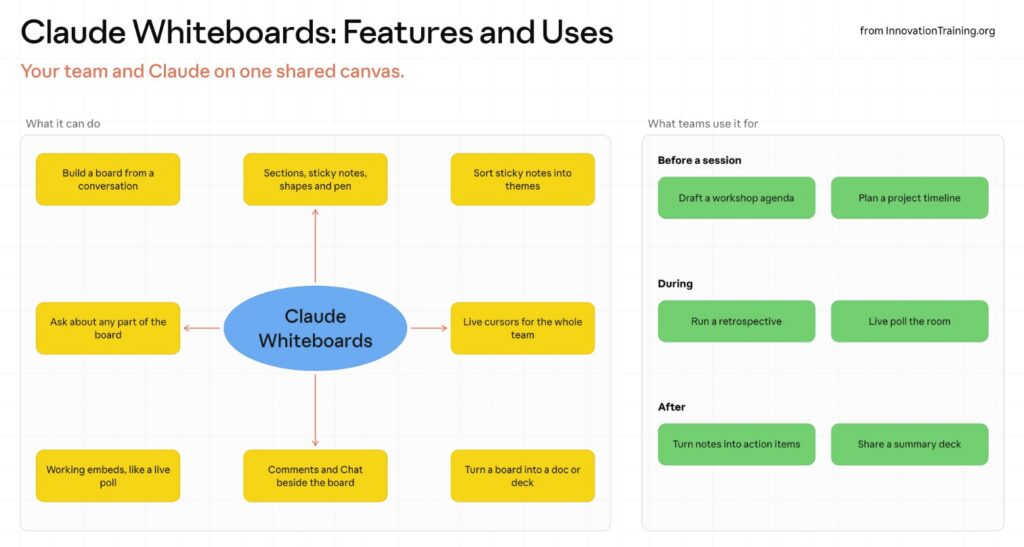
Claude Whiteboards is a shared, infinite canvas inside Claude where a team and Claude lay out ideas together. It is built by Anthropic, the company behind Claude. Instead of copying an AI answer into a separate whiteboard tool, you ask Claude and the board itself takes shape: sections, sticky notes, arrows and labels that everyone can move, edit and build on.
What Claude Whiteboards can do
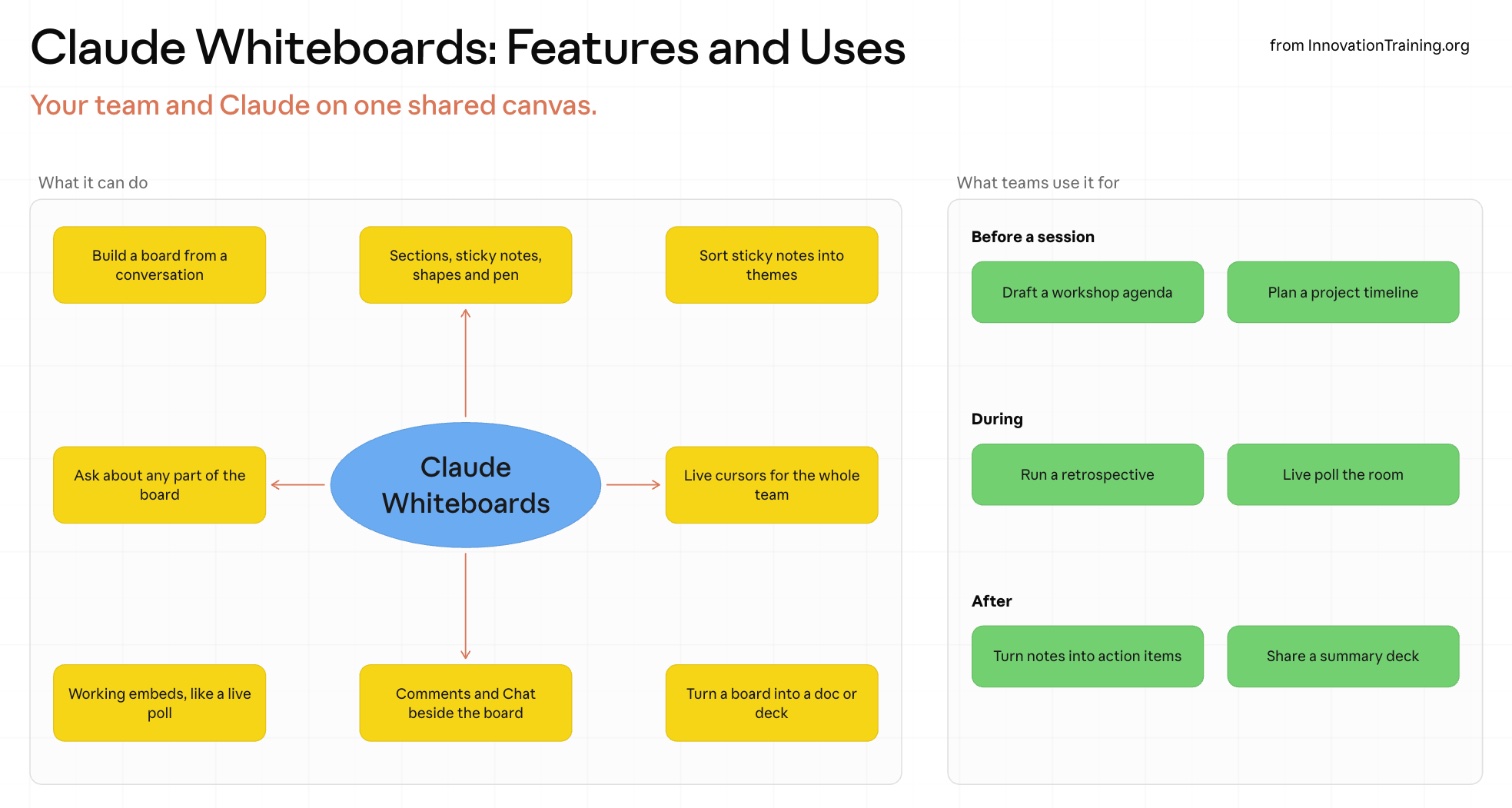
- Build a board from a conversation. Describe a plan, a process or a messy set of notes and Claude lays it out as sections, sticky notes and arrows.
- Organize a group’s input. After a brainstorm or retrospective, Claude can group notes into themes and draft action items.
- Answer questions about part of a board. Point Claude at one section and ask about it, or ask it to extend or rework just that part.
- Turn the board into something else. When the session ends, Claude can carry the board into a document or a slide deck.
- Work together in real time. Boards are shared, with live cursors, so the team and Claude can work on the same canvas.
The board itself has the tools you would expect: select and pan, text, sections, sticky notes, a pen for sketching, shapes, stickers for quick reactions, comments, and a Chat button that brings Claude in beside the board.
Availability. Claude Whiteboards is available on paid Claude plans on web, desktop and mobile. On business plans an admin may need to turn it on. Plan details can change, so check Anthropic’s site for the current list.
What we built: a design thinking workshop plan
We wanted to see how it works for the kind of planning facilitators and L&D teams do every week, so we gave it a real task: lay out a half-day design thinking workshop for a learning and development team.
The challenge we gave the board was one many L&D teams know well: “How might we make our training sessions more interactive?”
Here is the board Claude produced.
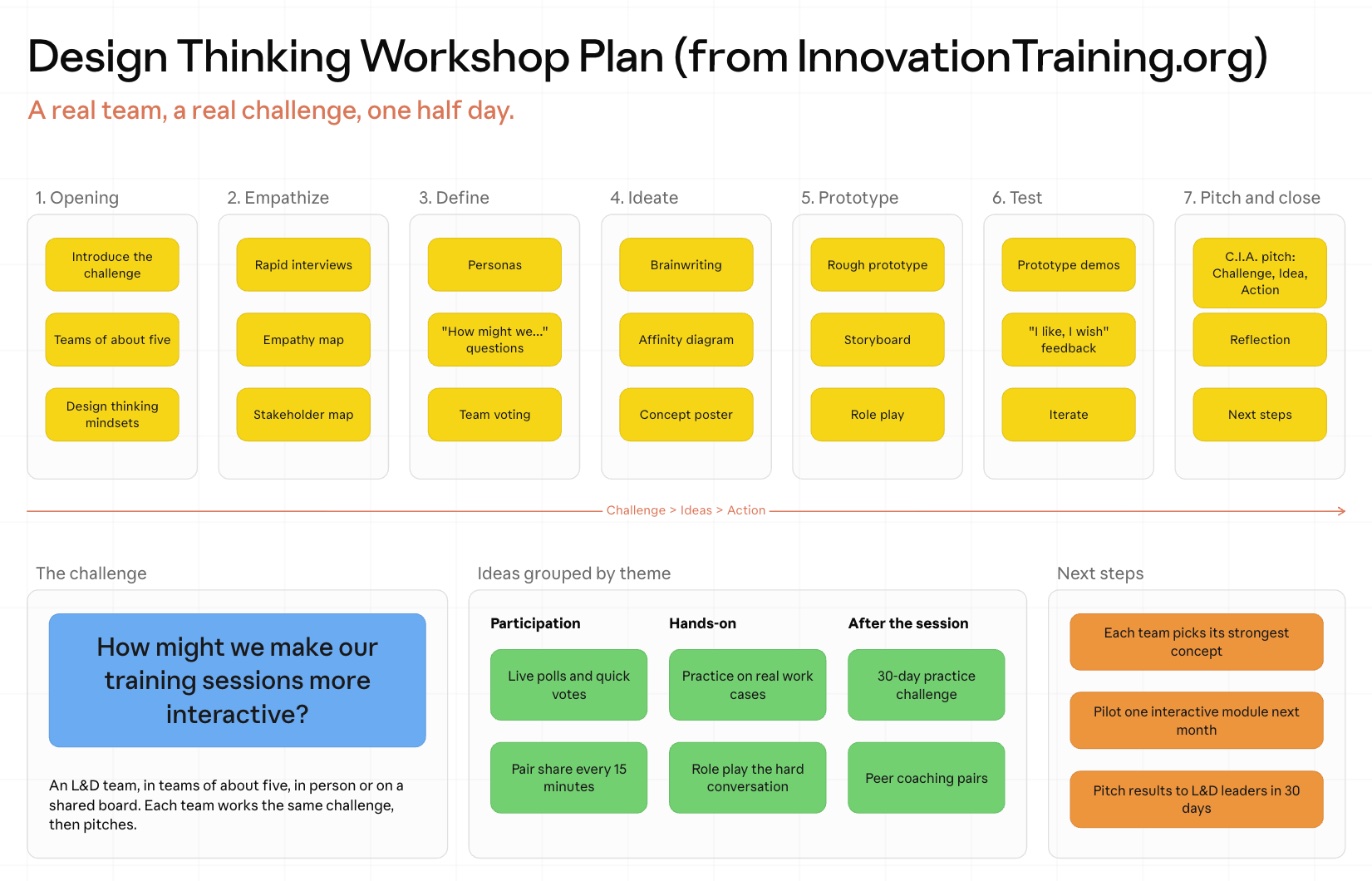
The board has three parts:
- The workshop flow. Seven stages run left to right: Opening, Empathize, Define, Ideate, Prototype, Test, and Pitch and close. Each stage is a section holding sticky notes for its activities, such as rapid interviews, an empathy map, “How might we…” questions, brainwriting, a rough prototype, “I like, I wish” feedback and a C.I.A. pitch (Challenge, Idea, Action). An arrow underneath ties the whole arc together.
- The challenge. The “How might we…” question sits in its own block, with a note on how teams work it.
- Ideas and next steps. Sample ideas are grouped into three themes (Participation, Hands-on, After the session), and next steps sit in their own section, ready for owners and dates.
Everything on the board is a real object. You can drag a sticky note to another stage, add a new activity, recolor a theme or delete what does not fit your group. It is a first draft the team can shape together, not a finished picture.
A second example: a leadership coaching program
To see more of what a board can hold, we asked for a different kind of plan: a six-session leadership coaching program.
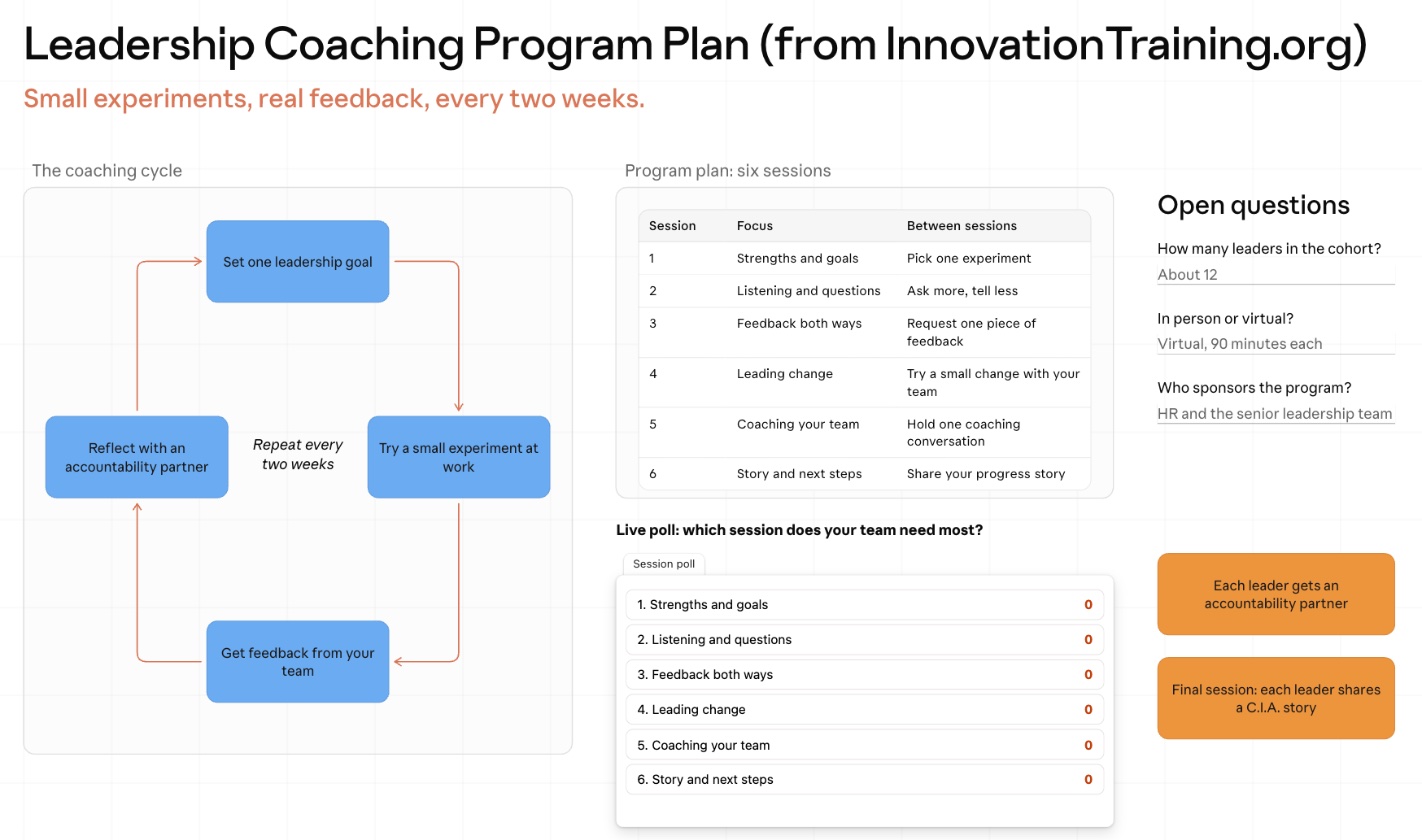
This board uses features the first one did not:
- A cycle, not a line. The coaching cycle (set a goal, try a small experiment, get feedback, reflect with an accountability partner) is laid out as a loop, because it repeats every two weeks.
- A table. The six sessions sit in a real table with the focus of each session and the practice between sessions.
- A live poll. The poll is a small working app on the board. Anyone with access can click a session, and the votes are saved with the board for everyone to see.
- Open questions with suggested answers. Questions such as cohort size and format sit on the board with a suggested answer in grey. Anyone can type over it, so the plan can move forward while the details get confirmed.
How facilitators and L&D teams can use it
1. Draft the agenda before the design meeting. Ask for a first board of the session flow, like the one above, then bring it to your planning call. Debating a draft is faster than starting from a blank wall.
2. Customize the flow to the group. Ask Claude to swap activities for a virtual group, shorten the plan to 90 minutes, or add your organization’s own model to a stage. The structure stays visible while you change it.
3. Sort the output after a session. Paste in the sticky notes from a brainstorm and ask Claude to group them by theme. Then check the groupings with the people who wrote the notes. The themes are a starting point for the group’s judgment, not a replacement for it.
4. Turn the board into the follow-up. A board that ends as a one-page summary or a short deck for leaders is far more likely to lead to action.
Where Claude Whiteboards fits
Claude Whiteboards is strongest around a session: planning it, sorting what the group produced and turning the result into a plan. For a large live workshop with many teams and detailed templates, many facilitators will still run the session itself in Miro or Mural and use Claude before and after. For a side-by-side look at Miro AI, Mural, FigJam, Lucid and the MCP connections that link AI assistants to those boards, see our guide to AI whiteboards.
Whatever the tool, the same rule holds: let the group think first, then let the AI help sort and capture. The value of a workshop comes from the conversation, and a board that arrives fully finished can cut that conversation short. For more on this, see Facilitating with AI: a model for group facilitators.
Design workshops your team will actually use
A well-designed board is a good start. A well-run session is what changes how people work. Our design thinking workshops take a real team through a real challenge, like the one on this board, from the first “How might we…” question to a pitch. If you want your own facilitators and L&D team to design and lead sessions like this with AI as a partner, see our AI facilitation training for program designers and facilitators. Contact us to talk about a session for your group.