
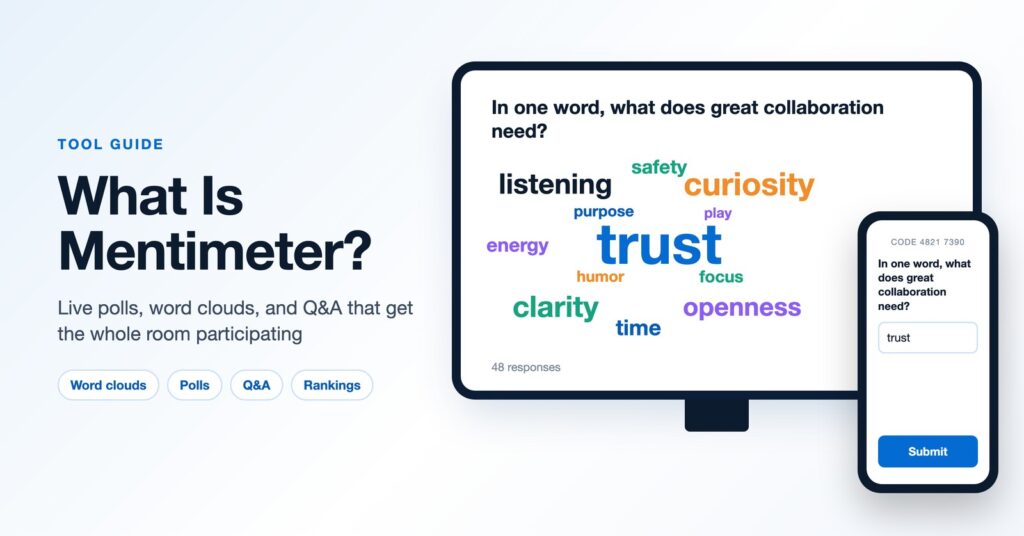
Ask a room of 80 people “any questions?” and you will usually hear silence, followed by the same two voices who always speak up. Put a word cloud on the screen and ask everyone to type one word from their phone, and within a minute the whole room has contributed and can see what it thinks. Mentimeter is one of the most popular tools for making that shift, and it shows up in classrooms, all-hands meetings, conference keynotes, and design thinking workshops.
This guide explains what Mentimeter is, how it works, which features matter most for facilitators and presenters, and how to use it so it adds to a session instead of becoming a gimmick.
What is Mentimeter?
Mentimeter is an interactive presentation tool that lets an audience respond live from their phones or laptops. You build a presentation made of slides, some of which are questions: polls, word clouds, open-ended prompts, rankings, scales, quizzes, and a Q&A slide. Participants go to menti.com, type a short code, and answer. Results appear on the screen in real time as the responses come in.
Participants do not need an account or an app, which removes most of the friction that kills audience participation. Responses can be anonymous, which tends to produce more honest answers to questions people would never answer by raising a hand.
Mentimeter is often compared with Slido. The two overlap a lot. Slido grew up around audience Q&A at conferences and events, while Mentimeter grew up around building a whole presentation with interaction built into the slides. Both now cover most of the same ground, so the choice often comes down to which interface you and your organization prefer.
How Mentimeter works
The basic flow takes a few minutes to learn:
- Create a presentation. Add content slides and question slides in the Mentimeter editor, or start from a template. Mentimeter also has AI features that can draft a set of slides from a short prompt, which you then edit.
- Share the join code. Every presentation has a code and a QR code. Put it on the first slide and leave it visible at the top of each question slide.
- Present. Advance through slides as you would in any deck. When you reach a question slide, participants see that question on their phones and respond.
- Show and discuss results. Results build live on the screen. You can hide results until everyone has voted, lock voting, or move on.
- Review afterward. Responses are saved, and paid plans let you export them, which is useful for workshop reports and follow-up.
If your deck lives in PowerPoint, the Mentimeter add-in lets you drop interactive slides into it. Mentimeter also works inside Microsoft Teams and Zoom, so participants in a virtual session can respond without switching windows.
Mentimeter features that matter most for workshops
Word clouds
The signature Mentimeter slide. Ask for one to three words and the cloud grows as answers come in, with repeated words getting bigger. Word clouds work well as an opener (“What one word describes how this team feels about the change ahead?”) and as a closer (“What is one word you are taking with you?”). Comparing the opening and closing clouds is a simple way to show a room how much it moved.
Open-ended responses
Open-ended slides collect full sentences, which makes them useful for gathering challenges, assumptions, or early ideas. In an innovation workshop, you might ask everyone to submit a “How might we” question and then read a few aloud before small groups pick one to work on.
Ranking, scales, and 2×2 grids
These are the most underused slides for facilitators. A ranking slide lets a group prioritize a list of options. Scales show where people stand on several statements at once. The 2×2 grid lets participants plot items on two dimensions, such as impact and effort, which gives you a quick group read before a deeper prioritization conversation.
Q&A
Participants submit questions at any point, and others can upvote them so the most important questions rise to the top. This is valuable for keynotes, town halls, and leadership sessions where people hesitate to ask questions out loud.
Quizzes
Quiz slides add a timer, points, and a leaderboard. They are good for energy and for checking understanding in training sessions. Use them lightly in adult workshops, since a competitive quiz can feel out of place when the goal is reflection or open conversation.
How facilitators and presenters use Mentimeter
Opening a session. Start with a low-stakes question everyone can answer in ten seconds. It teaches the room how to join, warms people up, and gives you a quick read on who is in the room.
Surfacing what people really think. Anonymous scales and open questions are a fast way to bring hidden concerns into the open, which matters in change and strategy sessions. Pair the results with a conversation; the data is a starting point for discussion, not a conclusion.
Making a keynote interactive. A few well-placed questions can turn a one-way talk into something the audience helps shape. This is a big part of the design of an interactive keynote, where the room’s answers change what the speaker does next.
Running hybrid and virtual sessions. When some people are remote, a shared poll gives everyone the same way to contribute, so the people in the room do not dominate the conversation.
Closing and capturing. End with a reflection question or a commitment (“What will you try in the next two weeks?”), then export the responses for a summary.
Best practices for using Mentimeter well
- Use fewer, better questions. Three or four interaction points in an hour is plenty. A poll on every slide becomes tiring and starts to feel like a survey.
- Ask questions you will actually use. If the answers do not change what happens next in the session, cut the question.
- Talk about the results. The value comes from the conversation the results start. Point out surprises, ask a few people to explain their answers, and connect the results to what comes next.
- Test the join flow. Check the code, QR code, and venue Wi-Fi before the session, especially for large conference rooms.
- Mix screen time with face time. Polls work best as a bridge into pair conversations, small group work, or methods like Liberating Structures, not as a replacement for them.
Is Mentimeter free?
Mentimeter has a free plan that includes the core question types and its AI features, with a limit on how many participants can respond each month. That limit is fine for trying the tool or running small meetings, but anyone presenting to larger groups regularly will need a paid plan. Paid plans are billed per presenter, with higher tiers adding features like response exports, team management, and branding. Check Mentimeter’s pricing page for the current limits before a large event, since free plan rules change from time to time.
Mentimeter vs. Slido and other alternatives
Mentimeter is strongest when you want to build a whole interactive presentation in one place and value polished visuals like word clouds. Slido is a natural fit if your organization already uses Webex or wants a tool focused on event Q&A. Poll Everywhere is common in universities and large companies. Kahoot is the go-to when you want a game-show feel. For whiteboard-style collaboration, where groups build on each other’s ideas instead of just voting, a tool like Miro or one of these virtual whiteboards is the better choice.
Many facilitators use two tools together: a polling tool for quick, whole-room input and a whiteboard for deeper small group work.
Designing sessions where the tools serve the experience
Mentimeter makes participation easy, but the tool does not design the session for you. The strongest workshops start with what the group needs to leave with, then choose the moments where whole-room input will help. If you want to build those skills, our facilitation workshop helps leaders, trainers, and L&D teams design sessions that get people thinking and working together. And if you have an event coming up, contact us to talk about an interactive keynote or a custom workshop for your group.