
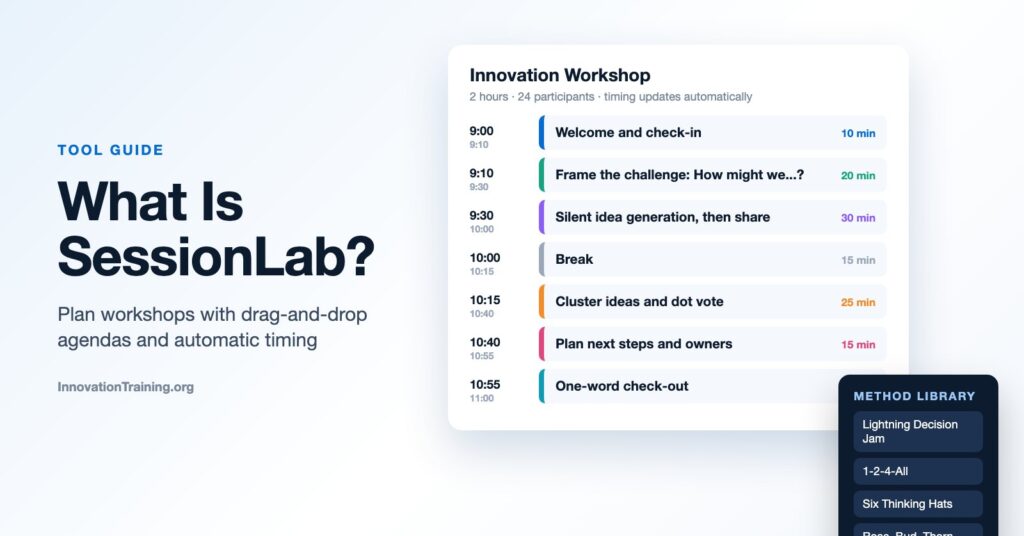
Most facilitators have planned a workshop in a spreadsheet at some point: a column for times, a column for activities, and a lot of manual math every time something moves. SessionLab was built to replace that. This guide explains what SessionLab is, its main features, how to use it to plan a workshop step by step, who it is best for, and how it compares with the other tools facilitators use.
What Is SessionLab?
SessionLab is an online workshop and session planning tool for facilitators, trainers, and teams. It gives you a drag-and-drop agenda builder that calculates timing automatically, a large library of facilitation methods you can add straight into your plan, and ways to share and collaborate on a session with co-facilitators and clients.
Where whiteboard tools like Miro and MURAL are used during a session for collaboration, SessionLab is mainly used before a session for designing the flow. It answers questions like: What happens in each block? How long does each activity take? What materials do we need? Who is leading which part? Many facilitators use SessionLab to design the agenda and a whiteboard tool to run the activities.
SessionLab says its platform is used by facilitators, agencies, and enterprises worldwide, and it publishes the annual State of Facilitation report, one of the most widely read surveys of the facilitation profession.
Key SessionLab Features
Agenda planner with automatic timing
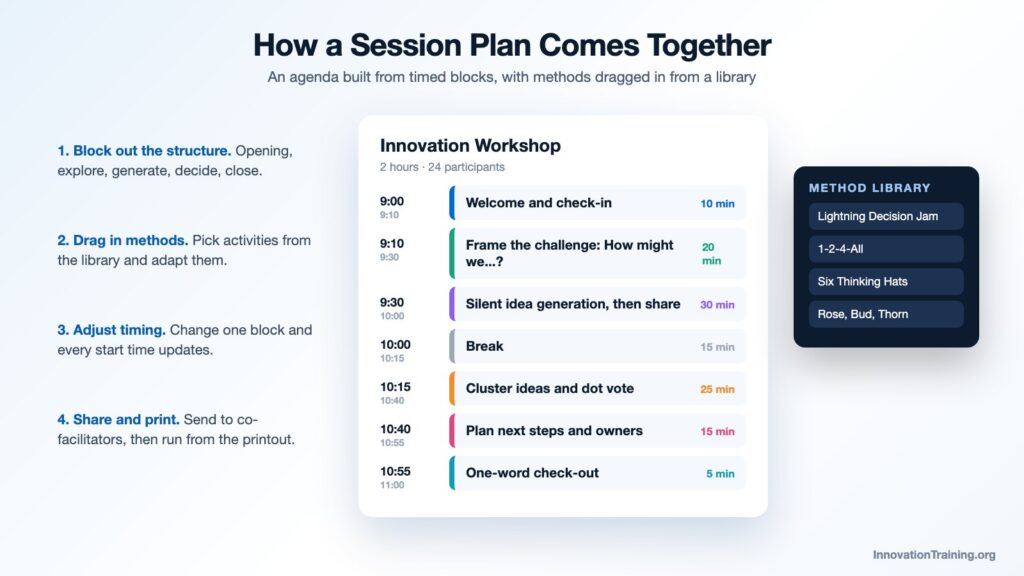
The core of SessionLab is its session planner. You build your agenda from blocks (activities, breaks, notes, and headers), drag them into order, and set a duration for each. SessionLab calculates the start and end time of every block, so when you lengthen a discussion or add an energizer, the rest of the schedule updates instantly. This alone saves a lot of time for anyone who has redone timing math in a spreadsheet the night before a workshop.
Library of facilitation methods
SessionLab’s public library includes more than 1,000 facilitation techniques, from icebreakers and energizers to idea generation, prioritization, and reflection activities. Each method includes a description, steps, timing, and group size guidance. You can drag a method directly into your agenda and then adapt it. For new facilitators, the library is a practical way to discover methods. For experienced ones, it is a fast way to find a fresh alternative to an activity they have used too often.
Templates
Ready-made session templates give you a starting structure for common sessions, such as workshops, retrospectives, strategy meetings, and trainings. Teams can also save their own templates so good session designs are easy to reuse.
Collaboration and sharing
Co-facilitators can work on the same session plan, and you can share agendas with clients or participants. Paid plans add real-time collaboration, commenting, and shared team workspaces, which is useful for organizations where several facilitators design and deliver sessions together.
Printouts and exports
SessionLab creates facilitator printouts and participant agendas from your plan with one click. The free plan includes PDF export, and paid plans add options such as Word and PowerPoint export and custom branding.
Briefs, needs assessments, and forms
Beyond the agenda itself, SessionLab includes pages for session briefs and needs assessments, plus forms for surveys, registrations, and feedback that can be attached to a session. This keeps the context for a workshop in the same place as the plan.
AI assistant
SessionLab includes an AI assistant that can draft agendas and slides based on your session’s context. As with any AI planning help, it works best as a first draft that you then shape with your knowledge of the group and the goal.
How to Plan a Workshop in SessionLab
1. Start with a brief
Before adding a single activity, write down the purpose of the session, who will be in the room, and what the group should leave with. SessionLab’s brief and needs assessment pages are a good place for this, so your co-facilitators and client see the same goals.
2. Block out the big structure
Add headers for the major parts of your session, such as opening, exploring the challenge, generating ideas, deciding, and closing. Set rough durations so you can see whether the overall flow fits the time you have.
3. Add activities from the library or your own
Fill each part with activities. Search the library for methods that fit your purpose, or add your own. For example, a two-hour innovation workshop might include a quick check-in, a “How might we” framing exercise, silent idea generation, dot voting, and a closing reflection.
4. Adjust timing and add details
Fine-tune the duration of each block and watch the schedule update. Add instructions, facilitator notes, materials, and who is leading each block. This is where a plan becomes something a co-facilitator could actually run.
5. Share, review, and print
Share the plan with your client or co-facilitators for feedback, then create a facilitator printout and a participant-facing agenda. Bring the printout into the room as your running guide.
6. Reuse what works
After the session, update the plan with what you changed on the day, then save it as a template for the next time you run a similar session.
Who Is SessionLab Best For?
- Professional facilitators and consultants who design many custom sessions and want a faster, cleaner planning process.
- Trainers and L&D teams who need consistent session designs that several people can deliver.
- Agile coaches and Scrum Masters planning retrospectives, workshops, and team events.
- Internal facilitation teams in larger organizations that want shared templates, libraries, and reporting.
- New facilitators who benefit from browsing a large library of proven methods.
SessionLab Pros and Cons
What works well
- Automatic timing removes one of the most tedious parts of agenda design.
- The method library is large, practical, and searchable.
- Printouts make it easy to run a session from the plan.
- Collaboration features suit teams of facilitators and client-facing work.
- A free plan lets you try it on real sessions.
Things to consider
- It is a planning tool, so you will still need a whiteboard or presentation tool to run interactive activities, especially online.
- The free plan limits how many session plans you can keep, so frequent facilitators will likely need a paid plan.
- Teams used to planning in documents or spreadsheets need a little time to adopt a new workflow.
SessionLab vs. Other Tools
| Tool | Main use | Best for |
|---|---|---|
| SessionLab | Designing session agendas and timing | Planning workshops and trainings |
| Miro / MURAL | Visual collaboration on a shared board | Running interactive activities in the session |
| Slido / Mentimeter | Live polls, Q&A, and word clouds | Audience participation in larger groups |
| Spreadsheets or documents | General planning | Very simple or one-off sessions |
These tools complement each other more than they compete. A common setup is SessionLab for the plan, Miro or MURAL for collaborative activities, and Slido or Mentimeter for polling a large audience.
Frequently Asked Questions
Is SessionLab free?
SessionLab has a free plan that includes the drag-and-drop agenda planner, PDF export, feedback forms, and access to the public method library, with a limit on the number of session plans. Paid plans add unlimited sessions, more export options, team workspaces, and more AI assistant requests.
What is SessionLab used for?
SessionLab is used to design and plan workshops, trainings, meetings, retrospectives, and other facilitated sessions, including timing, activities, materials, and facilitator notes.
Can you run a workshop live in SessionLab?
SessionLab is mainly a planning and preparation tool. Most facilitators run the session using their printout or shared agenda alongside a whiteboard, slides, or polling tool for participant activities.
Is SessionLab good for beginners?
Yes. The method library and templates give new facilitators a strong starting point, and the automatic timing makes it easier to build a realistic agenda.
Try SessionLab and Build Your Facilitation Skills
If you design workshops regularly, try SessionLab on your next session plan and see how much faster the timing and structure come together. A good tool helps, but the design decisions still come from the facilitator. InnovationTraining.org helps leaders and trainers build those skills through the facilitation workshop and the facilitator training program. Our guide on how to facilitate a workshop is a good next read. Contact us to talk about a session for your team. What part of session planning takes you the longest today?
This post contains an affiliate link to SessionLab. If you sign up through it, InnovationTraining.org may earn a commission at no extra cost to you.