
Kahoot turned the quiz into a game show. Questions appear on the big screen with a countdown, people answer on their phones, music builds the tension, and a leaderboard reveals who is on top. It works in classrooms, and it works in training rooms, onboarding sessions, and team events too.
Kahoot is not the right fit for every session, though. Some trainers want quizzes inside a fuller presentation. Some want a calmer format where people can reflect instead of racing the clock. Some need tools that fit their company’s meeting platform or budget. This guide compares the best Kahoot alternatives for workplace training, workshops, and team meetings, with notes on when each one makes sense.
What to look for in a Kahoot alternative
- Game feel vs. learning feel. Timers and leaderboards create energy. They also reward speed over thinking. Decide which your session needs.
- Live vs. self-paced. Some tools shine in a live room. Others let people complete a quiz on their own time, which helps with distributed teams and pre-work.
- More than quizzes. If you also need polls, word clouds, Q&A, or ranking, an all-in-one tool keeps participants on a single join code.
- Team play. Team mode lets small groups discuss before answering, which turns a quiz into a conversation.
- Reports. For training, results by question show which ideas did not land so you can revisit them.
- Free plan limits. Most tools cap participants or features on the free tier. Check current limits against your real group size.
Quick comparison
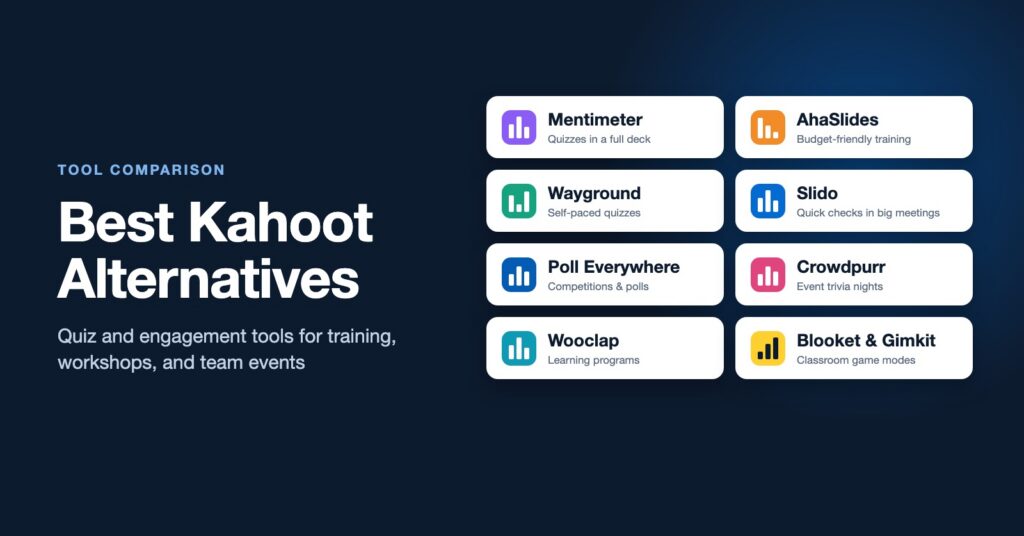
| Tool | Best for | Stands out for |
|---|---|---|
| Mentimeter | Training sessions and workshops | Quizzes inside a full interactive presentation |
| AhaSlides | Budget-conscious trainers | Quizzes, polls, word clouds, and a spinner wheel in one tool |
| Wayground (formerly Quizizz) | Self-paced knowledge checks | Live or assigned quizzes with detailed reports |
| Slido | Large meetings and conferences | Light quizzes alongside polls and moderated Q&A |
| Poll Everywhere | Universities and large organizations | Competitions plus many activity types |
| Crowdpurr | Company events and virtual parties | Live trivia nights and bingo at scale |
| Wooclap | Learning programs | Many question types and LMS integrations |
| Blooket and Gimkit | Classrooms | Game modes that go well beyond a standard quiz |
1. Mentimeter
Mentimeter is a strong Kahoot alternative for trainers who want quizzes to be one part of a larger session. You build the whole presentation in Mentimeter, mixing content slides with quiz questions, polls, word clouds, ranking, and scales. Quizzes include timers and a leaderboard, so you still get some game energy, but the overall tone is closer to a workshop than a game show.
Choose Mentimeter if you want knowledge checks and discussion questions in the same deck. Learn more in our guide to what Mentimeter is and how to use it.
2. AhaSlides
AhaSlides covers a lot of what both Kahoot and Mentimeter do: quizzes with leaderboards, team play, polls, word clouds, Q&A, and a spinner wheel for picking names or topics. It integrates with PowerPoint and Google Slides. Many trainers choose it because its paid plans are generally priced lower than the bigger names.
Choose AhaSlides if you want an all-in-one engagement tool for training and are watching the budget.
3. Wayground (formerly Quizizz)
Quizizz rebranded as Wayground, so you may see either name. It is built around quizzes and lessons that can run live or be assigned for people to complete at their own pace. Participants see questions on their own screens rather than a shared one, and reports show results by person and by question. Its roots are in schools, but the self-paced model also works for onboarding refreshers and quick knowledge checks between training sessions.
Choose Wayground if you need quizzes people can take asynchronously, with clear reporting afterward.
4. Slido
Slido is best known for live polls and audience Q&A, and it also includes quizzes with a leaderboard. The quizzes are simpler than Kahoot’s, but Slido runs inside PowerPoint, Google Slides, Webex, Teams, and Zoom, which makes it easy to drop a quick knowledge check into a large meeting or conference session without switching tools.
Choose Slido if your organization already uses it and you want a light quiz moment rather than a full game. See our Slido guide for workshop uses, or our Slido vs Mentimeter comparison if you are choosing between those two.
5. Poll Everywhere
Poll Everywhere is a standard tool at many universities and large companies. Its competitions feature works like a quiz with a leaderboard, and it sits alongside polls, word clouds, Q&A, surveys, and clickable images. Participants can respond to many activities by text message, which helps when internet access is uneven.
Choose Poll Everywhere if your organization already licenses it or you want competitions as one option among many activity types.
6. Crowdpurr
Crowdpurr focuses on live event games: trivia, bingo, polls, and audience competitions that can run for very large groups, in person or virtual. It is a good fit for company celebrations, conference evening events, and remote team socials where the goal is connection and fun rather than learning outcomes.
Choose Crowdpurr if you are planning a company trivia night or a large event game, not a training session.
7. Wooclap
Wooclap comes from higher education and offers a long list of question types, including matching, sorting, image hotspots, and fill-in-the-blank. It integrates with learning management systems like Moodle and Canvas, as well as PowerPoint and Teams. The question variety makes it strong for checking understanding in more ways than multiple choice.
Choose Wooclap if you design learning programs and want question types built for learning rather than speed.
8. Blooket and Gimkit (for classrooms)
Blooket and Gimkit are popular with teachers because they wrap quiz questions in game modes, such as earning in-game money or defending a tower. They are built for students, so most workplace trainers will be better served by the tools above. Educators and youth program leaders looking for more variety than Kahoot offers should try both.
How to choose
- Energy and friendly competition in a live room: Kahoot, AhaSlides, or Mentimeter quizzes.
- Quizzes plus discussion in one session: Mentimeter or AhaSlides.
- Self-paced knowledge checks: Wayground.
- A quick check inside a big meeting: Slido or Poll Everywhere.
- Company events and socials: Crowdpurr.
- Learning programs with varied question types: Wooclap.
For a broader look at polling and Q&A tools, see our guide to the best Slido alternatives.
Make the quiz part of the learning
A quiz can do more than test recall. A few design choices make a big difference:
- Play in teams. Give small groups 60 seconds to agree on an answer. The discussion is where most of the learning happens.
- Pause on the surprising question. When half the room gets one wrong, stop and ask a few people to explain their thinking.
- Use it as a pre-test. Run a short quiz at the start to show what the group already knows, then design the next hour around the gaps.
- Turn the scoreboard down. For sensitive or reflective topics, use anonymous polls instead of a leaderboard.
- End with application. Follow the quiz with a question like “Where will you use this next week?” so knowledge moves toward behavior, the level that matters most in the Kirkpatrick Model.
If you want help turning content-heavy training into sessions people remember, see how to turn any training topic into an interactive workshop. For trainers who want to build these skills in depth, our Train the Trainer program covers interactive session design and facilitation, and our facilitation workshop brings the same approach to your team. To talk about an upcoming training or event, get in touch.