
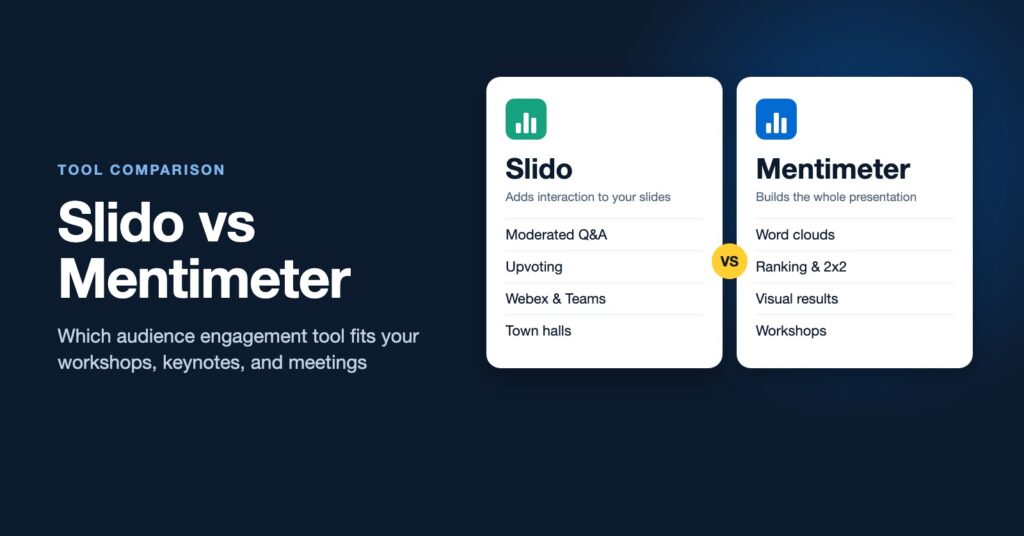
Slido and Mentimeter are the two names that come up first when a presenter wants live polls, a word cloud, or audience questions. They overlap a lot, so the choice can feel like a coin flip. In practice they are built around different ideas. Slido starts from the conversation between a speaker and an audience. Mentimeter starts from the presentation itself.
This comparison looks at how each tool works, where each one is stronger, and which to pick for keynotes, workshops, training, and town halls. If you want the basics of either tool first, see our guides to what Slido is and how to use it in workshops and what Mentimeter is.
Slido vs Mentimeter at a glance
| Slido | Mentimeter | |
|---|---|---|
| Core idea | Audience interaction added to the slides and meetings you already use | Build the whole presentation in Mentimeter, mixing content and interactive slides |
| Strongest feature | Live Q&A with upvoting and moderation | Visual results: word clouds, ranking, scales, 2×2 grids |
| Best for | Town halls, all-hands, panels, large conferences | Workshops, training, and interactive presentations |
| Where it lives | Inside PowerPoint, Google Slides, Webex, Teams, and Zoom | In its own editor, with a PowerPoint add-in and Teams and Zoom options |
| How people join | Code at slido.com, or inside the meeting app | Code at menti.com or a QR code |
| Owned by | Cisco (part of the Webex family) | Independent company based in Sweden |
Both tools let participants join from a phone or laptop without an account or app, and both offer multiple choice polls, word clouds, open text, ratings, quizzes, and Q&A. The differences are in emphasis and workflow.
How Slido works
Slido is designed to sit alongside your presentation rather than replace it. You keep building slides in PowerPoint or Google Slides, then add Slido polls where you want them, or run Slido in a sidebar during a Webex, Teams, or Zoom call. Participants enter a short event code and can ask questions at any point, vote on other people’s questions, and answer polls when you launch them.
Its Q&A is the reason many organizations choose it. Questions can be anonymous, a moderator can review them before they appear, and upvoting pushes the questions the room cares about most to the top. For a leadership town hall, that combination often surfaces the honest questions people would never ask at a microphone.
Because Slido is owned by Cisco, it is built into Webex and is a common choice in companies that already use Webex or Microsoft Teams across the organization.
How Mentimeter works
Mentimeter asks you to build your presentation inside its own editor. You mix regular content slides with interactive ones, so the deck and the participation happen in one place. When you present, results appear live on screen and update as people respond.
Mentimeter is known for its word clouds, but facilitators often get more value from its other question types. Ranking slides help a group prioritize options. Scales show where a room stands on several statements at once. 2×2 grids let people place ideas on two dimensions, such as impact and effort. It also offers quizzes with a leaderboard, a PowerPoint add-in for people who want to stay in their existing deck, and AI features that draft slides from a prompt.
Where each tool is stronger
Choose Slido when
- Q&A is the main event. Panels, all-hands meetings, leadership Q&A, and conference sessions where the audience drives the agenda.
- You do not want to rebuild your slides. Slido adds interaction to the deck you already have.
- Your organization runs on Webex or Teams. Slido fits inside those meetings with little setup.
- The audience is very large. Slido is widely used for big events and multi-session conferences.
Choose Mentimeter when
- You are running a workshop or training session. Ranking, scales, and 2×2 grids help a group think, sort, and decide together.
- Visuals matter. Mentimeter’s live results tend to look polished on a big screen, which helps when the results themselves are the discussion starter.
- You want one tool for content and interaction. Building the whole session in one place keeps the flow smooth.
- You present to different groups often. Mentimeter’s templates and reusable decks make it easy to adapt a session for a new audience.
Which is better for workshops, keynotes, and training?
Interactive keynotes: either works. Slido is stronger if the audience Q&A is the centerpiece. Mentimeter is stronger if you want the room’s answers to become a visual moment on stage, such as a word cloud that reveals what a conference audience is really thinking about.
Workshops and strategy sessions: Mentimeter usually wins. Its ranking and 2×2 question types support prioritization, which is the heart of many workshop agendas.
Training sessions: both handle quizzes and knowledge checks. Mentimeter feels more like a complete training deck. If your trainers want a game-show feel with timers and leaderboards, look at our list of Kahoot alternatives for workplace training as well.
Town halls and all-hands meetings: Slido is the more common choice, mainly because of its moderated, anonymous Q&A.
Virtual and hybrid meetings: Slido has the edge inside Webex and Teams. Mentimeter works well in Zoom and Teams too, and many facilitators simply share their Mentimeter screen and drop the join link in the chat.
Pricing and free plans
Both tools offer a free plan and paid plans for individuals, teams, and organizations, with education discounts. Free plans limit things like audience size, number of questions, or features, and those limits change from time to time. Check each vendor’s current pricing page and test the free plan with your real group size before you commit. If your company already licenses one of them, that is often the deciding factor.
What about using both?
We use both in our own workshops and keynotes, choosing based on the moment and on what the client’s organization already uses. A common pattern is Mentimeter for the interactive parts of a workshop and Slido for open Q&A during a large plenary. Within a single session, though, one tool used well is better than two tools that confuse participants with different join codes.
How we use Slido and Mentimeter in live workshops
In our design thinking, innovation, and leadership sessions, these tools do much more than run a quick poll. They are how we capture what is happening in the room in real time, in person and in virtual workshops alike.
Capturing the room’s thinking. After participants reflect, interview each other, or work in small groups, they submit what they found: insights, needs, challenges, questions, ideas, and the problems they would most like to work on. Instead of a few voices reporting out, everyone contributes, which is what makes a session feel interactive even with a very large group.
Letting people see each other’s thinking. Participants love watching responses appear on screen as the room adds to them. Seeing what colleagues are noticing sparks new thinking, shows people they are not alone in a challenge, and builds energy. When we hear from participants after a program, these live moments are among the parts they mention most.
Choosing and prioritizing together. Ranking, voting, and multiple choice let a group select which challenges, ideas, or options to pursue next, so the agenda responds to the people in it.
Making sense of it with AI while people are still in the room. This is where the tools fit our AI facilitation approach. Live responses become real human data that AI can help cluster into themes, turn into a quick summary, or reframe as “How might we” questions within minutes. We can then share the themes back, ask the group what is accurate or missing, and team people up around the challenges they care about most. The facilitator stays with the people, watching and listening, while AI speeds up the synthesis. We describe a live example from WorkPossible (formerly CultureCon) in our guide to using AI in human-centered design thinking.
If neither feels right, our guide to the best Slido alternatives compares Poll Everywhere, AhaSlides, Wooclap, Vevox, and others. And when a group needs to create ideas together rather than respond to questions, a whiteboard like Miro is the better fit.
The question matters more than the tool
Slido and Mentimeter both make it easy to ask an audience something. What makes the moment work is the design around it: asking a question people actually want to answer, showing the results at the right time, and then doing something with what the room said. A word cloud that nobody discusses is just decoration. A set of live insights that shapes the next activity is what people remember.
That design skill is what turns a talk into an interactive keynote and a meeting into a real working session. Our facilitation workshop helps leaders and trainers build sessions where people participate fully, whatever tool they use. If you have a conference, offsite, or team session coming up, contact us to talk about what your group needs.