
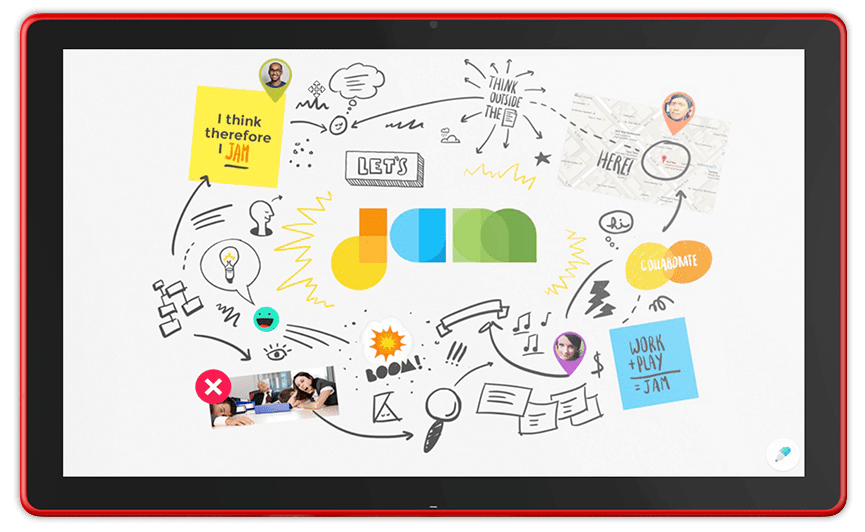
Looking for Google Jamboard? Google retired Jamboard at the end of 2024, so the app and its Jam files are no longer available. This guide explains what happened to Jamboard, what it was, and the best Jamboard alternatives for teams, teachers, and facilitators who still need a digital whiteboard for brainstorming and collaboration.
Some of the links below are affiliate links. If you start a plan through one of them we may earn a commission at no additional cost to you. We only link to tools we have used and recommend in our own programs.
What happened to Google Jamboard?
Google announced that it would wind down the Jamboard app and recommended third-party whiteboard tools that integrate with Google Workspace: FigJam, Lucidspark, and Miro. The retirement happened in two stages:
| Date | What changed |
|---|---|
| October 1, 2024 | Jamboard became view-only. Users could no longer create new Jams or edit existing ones on the web, iOS, Android, or Jamboard devices. |
| October 1 to December 31, 2024 | Users could still view and export their Jam files, for example as PDFs or images. |
| After December 31, 2024 | The Jamboard app was retired. According to university IT notices such as UW-Madison’s Jamboard announcement, the app and remaining Jam files became inaccessible and were deleted. |
If you exported your Jams before the shutdown, look for the PDF or image files in your Google Drive or on your computer.
What was Google Jamboard?
Google Jamboard was a digital whiteboard that worked with Google Workspace apps like Drive, Docs, and Meet. Teams and classrooms used it to add sticky notes, sketch, drop in images, and brainstorm together in real time, either in a web browser, on mobile devices, or on Google’s Jamboard display. Its simplicity made it popular for quick virtual brainstorming, design thinking activities, and remote classes.
Best Google Jamboard alternatives
The tools below cover everything people used Jamboard for and much more.
| Tool | Best for | Notes |
|---|---|---|
| FigJam (by Figma) | Simple, friendly brainstorming and teams already using Figma | Recommended by Google as a Jamboard replacement for Google Workspace users |
| Lucidspark | Brainstorming that turns into diagrams and plans | Recommended by Google; pairs with Lucidchart |
| Miro | Large workshops, templates, and cross-team collaboration | Recommended by Google; extensive template library |
| MURAL | Facilitated workshops and design thinking sessions | Built with facilitation features in mind |
| Canva Whiteboards | Visual, design-friendly boards for classrooms and teams | A good fit if your group already uses Canva |
| Microsoft Whiteboard | Organizations using Microsoft 365 and Teams | Works inside the Microsoft ecosystem |
| Zoom Whiteboard | Groups that already meet on Zoom | Collaborate on a whiteboard during or outside Zoom meetings |
FigJam
FigJam is Figma’s online whiteboard. Its playful, easy-to-learn interface makes it one of the closest experiences to Jamboard for quick brainstorming with sticky notes, stamps, and drawing tools. Learn more in our guide: What is FigJam by Figma?
Lucidspark
Lucidspark is a virtual whiteboard from Lucid, the makers of Lucidchart. It is useful when brainstorming needs to turn into organized plans, process maps, or diagrams. See Lucidspark explained and our comparison of Lucidchart vs. Lucidspark.
Miro
Miro is a visual collaboration workspace with a large library of templates for brainstorming, retrospectives, journey maps, and workshops. It scales well from small teams to large organizations. Read What is Miro? How to use Miro boards for collaboration. Try Miro for free.
MURAL
MURAL is a digital workspace designed with facilitators in mind, with features that help lead structured sessions such as timers, voting, and templates for design thinking. See What is MURAL and how to use it for design thinking.
Canva Whiteboards
Canva’s online whiteboards combine brainstorming with Canva’s design tools, which makes them popular with educators and marketing teams. Learn more about Canva’s online whiteboards for innovation.
Microsoft Whiteboard and Zoom Whiteboard
If your organization runs on Microsoft 365, Microsoft Whiteboard keeps collaboration inside Teams and your existing accounts. If your group already meets on Zoom, Zoom Whiteboard lets participants brainstorm together without adding another tool.
How to choose a Jamboard replacement
- You use Google Workspace: start with FigJam, Lucidspark, or Miro, the tools Google recommended for Workspace users.
- You want something as simple as Jamboard: try FigJam or Canva Whiteboards.
- You run workshops and design thinking sessions: Miro and MURAL offer the most facilitation features and templates.
- Your organization uses Microsoft or Zoom: Microsoft Whiteboard or Zoom Whiteboard avoids adding a new platform.
- You teach: check which tools your school already licenses before choosing.
Tips for running a great virtual whiteboard session
- Prepare the board in advance. Set up frames, instructions, and sticky note areas before participants join.
- Start with a quick warm-up. Let people practice adding a sticky note or emoji so the tool feels easy.
- Use templates. Ready-made brainstorming templates save time and give sessions structure.
- Timebox each activity. Short, focused rounds keep energy high.
- Pair the whiteboard with good facilitation. See how to use Zoom to facilitate an engaging workshop.
Planning a collaborative workshop on a digital whiteboard? Great tools help, but engaging sessions come from great design and facilitation. We design and lead interactive innovation and brainstorming workshops, in person or virtual, and teach teams to run their own sessions in our facilitation workshop.